
If you've ever wanted to use a different voice in your games, streams, or online calls, VoiceWave is exactly what you've been waiting for. Developed by EaseUS — a professional tech company with millions of users worldwide — VoiceWave is a real-time AI voice changer built for gamers, streamers, and content creators.
What is VoiceWave?
VoiceWave is a real-time voice modification software that works directly on your microphone, transforming your voice instantly before it reaches any platform. Whether you're on Discord, Roblox, Valorant, WhatsApp, Zoom, or any other voice application, VoiceWave acts as a transparent filter — you speak, it transforms.
The software is free for Windows 10/11 and offers a premium plan with access to advanced AI features and voice cloning.
Key Features
VoiceWave stands out for the quantity and quality of its features:
- 400+ AI voices — including female voices, anime characters, celebrities, RPG NPCs, robots, and much more
- Ultra-low latency — voice transformation happens in real time with no noticeable delay
- Voice Cloning — create your own custom voice or clone existing ones
- Built-in Soundboard — over 150,000 sounds and effects ready to use during matches or streams
- Optimized resource usage — won't compromise system performance while gaming
- Compatible with any app — Discord, Roblox, Fortnite, Valorant, WhatsApp, Zoom, OBS, Twitch, and more
Featured Voices
One of VoiceWave's biggest attractions is the variety of voices available. Some of the most popular among users:
- Hatsune Miku — the favorite vocaloid voice among gamers
- Anime Girl — female anime character voice
- Ghostface — the iconic Scream character
- Satoru Gojo — the Jujutsu Kaisen character
- Electronic female voice — perfect for disguising yourself in games
- Battlefield-style tactical radio — total immersion in military games
Why use VoiceWave in games?
VoiceWave goes far beyond just "changing your voice for fun." There are practical and creative uses that make it an essential tool for serious gamers:
Pranks and funny moments
Imagine joining the Valorant voice chat with a completely different voice and watching your teammates react. With VoiceWave, every match can become an unforgettable moment. Works perfectly in Valorant, Fortnite, PUBG, Goose Goose Duck, Roblox, and any game with voice chat.
Privacy shield for gamers
Many female gamers prefer not to reveal their real voice in online games for privacy reasons. With VoiceWave, you can use an AI assistant voice or any other voice to play comfortably without exposing yourself.
RPG immersion
Playing an RPG with voice chat? Give voice to NPCs and characters in real time, without needing to be a professional voice actor. VoiceWave transforms your voice into any character instantly.
Recommended Games for VoiceWave
VoiceWave works best in multiplayer games with voice chat. Some of the most recommended:
 ARC Raiders
 R.E.P.O.
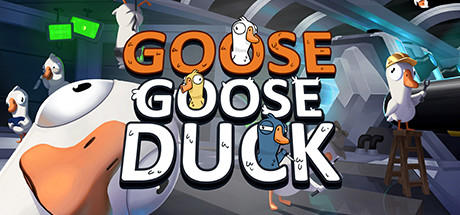 Goose Goose Duck
 PUBG
PUBG
How to Set Up VoiceWave
Setting up VoiceWave is quick and easy. Here's the step-by-step guide:
- Download and install — Visit the official VoiceWave website, click Download Free, and install the software on your Windows 10 or 11.
- Select your voice — Open VoiceWave, browse the library with 400+ voices, and choose the one you want. You can preview any voice before activating it.
- Configure in your game or app — In your game or application's audio settings (Discord, Zoom, etc.), select VoiceWave Virtual Microphone as the input device. That's it — your voice is already being transformed in real time.
- Adjust the effects — Inside VoiceWave, you can combine effects, adjust the pitch, add soundboard sounds and create a fully personalized experience.
Is VoiceWave safe?
Yes. VoiceWave is developed by EaseUS, a globally recognized company with over 20 years in the software industry. The program does not collect voice data or compromise your privacy. It is widely used by streamers, content creators, and gamers around the world.
Conclusion
If you want to transform your gaming experience, streaming, or online calls, VoiceWave is the ideal tool. With 400+ AI voices, ultra-low latency, a built-in soundboard, and compatibility with virtually any platform, it's free and easy to use. Try it now and discover a new dimension of fun and creativity.
DOWNLOAD VOICEWAVE HERE:
DOWNLOAD NOW